
InfraKitchen is a very interesting and powerful Internal Developer Platform (IDP) to manage Cloud Resources through several Cloud Provider integrations.
Sometimes it might be necessary to manually rectify a state of a broken deployment - so changes can be done again to fix the broken deployment.
In my particular situation, I tried to delete a Google Cloud Project - however the project had the Deletion Prevention active (set to PREVENT). The destruction therefore ran into an error state.
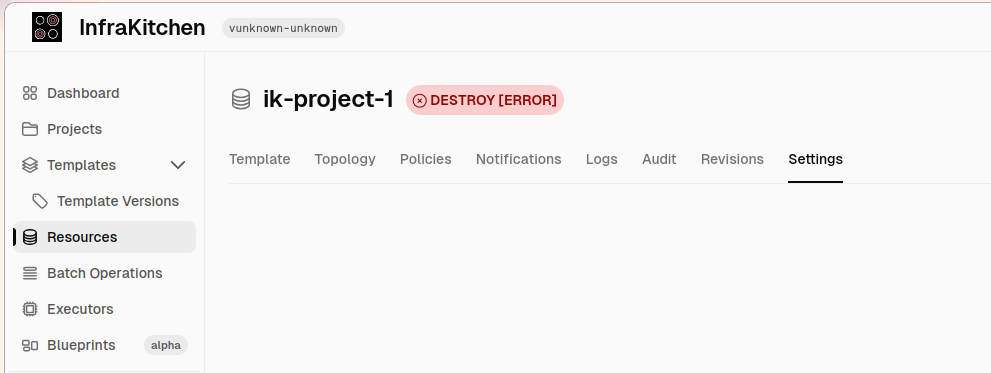
However in order to change the project's Deletion Prevention (from PREVENT to DELETE), I need to be able to adjust the configuration of this resource. But in this situation InfraKitchen sees the resource already as DELETED.
For destroyed resources, there's the option "Recreate" - however this didn't work in this situation either, as the Apply previously ran into an error.
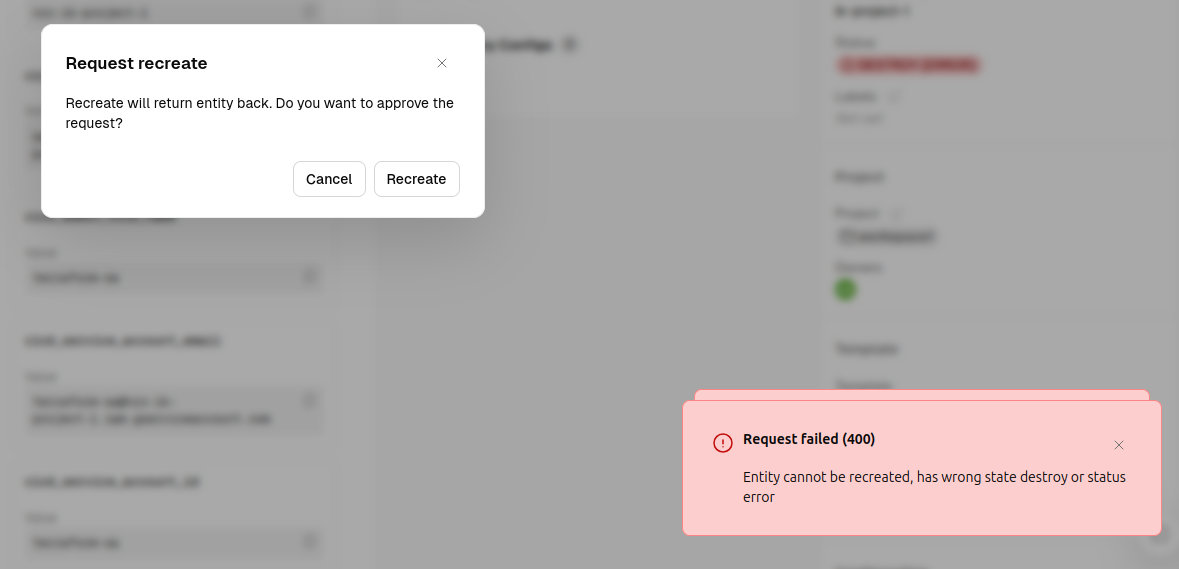
To fix this situation, a manual workaround is needed. The state of this resource needs to be reset to PROVISIONED in InfraKitchen's database.
infrakitchen=> SELECT id,name,state FROM resources;
id | name | state
--------------------------------------+-------------------+-------------
9887be92-db43-45b7-a6c1-04f5f95f9cf9 | ik-project-1 | DESTROY
e59395c3-4d95-43e9-b942-09adf15c7720 | dev-europe-west-3 | PROVISIONED
75b9da8c-59ac-4842-994c-f5be410f2806 | ik-project-2 | PROVISIONED
3890da5b-44ab-4889-813e-e5eb5a5e5306 | sql001 | PROVISIONED
82dfb664-f92d-4c8d-9769-47ee7fa9d0eb | sql002 | PROVISION
4c49ed26-9212-4f3d-8e37-afef3c51a4ce | sql004 | PROVISIONED
1a740fee-8587-4e60-b5cd-729816bc7cd3 | sql003 | PROVISIONED
ce9be076-f8ba-424f-9859-aac62b88dd9b | sql005 | PROVISIONED
(8 rows)
The table nicely shows the ik-project-1 resource, currently in state DESTROY.
Let's manually change the state:
infrakitchen=> UPDATE resources SET state='PROVISIONED' WHERE id='9887be92-db43-45b7-a6c1-04f5f95f9cf9';
UPDATE 1
infrakitchen=> SELECT id,name,state FROM resources;
id | name | state
--------------------------------------+-------------------+-------------
9887be92-db43-45b7-a6c1-04f5f95f9cf9 | ik-project-1 | PROVISIONED
e59395c3-4d95-43e9-b942-09adf15c7720 | dev-europe-west-3 | PROVISIONED
75b9da8c-59ac-4842-994c-f5be410f2806 | ik-project-2 | PROVISIONED
3890da5b-44ab-4889-813e-e5eb5a5e5306 | sql001 | PROVISIONED
82dfb664-f92d-4c8d-9769-47ee7fa9d0eb | sql002 | PROVISION
4c49ed26-9212-4f3d-8e37-afef3c51a4ce | sql004 | PROVISIONED
1a740fee-8587-4e60-b5cd-729816bc7cd3 | sql003 | PROVISIONED
ce9be076-f8ba-424f-9859-aac62b88dd9b | sql005 | PROVISIONED
(8 rows)
The state is now set to PROVISIONED[ERROR] in the UI:
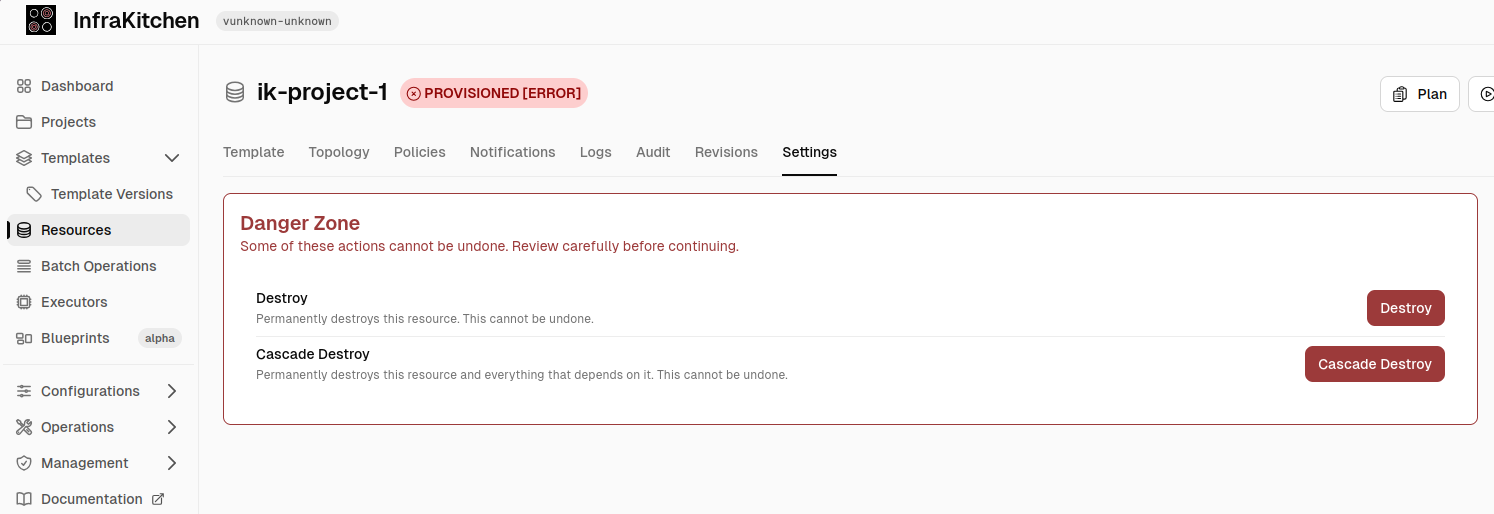
This allows the resource to be edited again - and can be destroyed once again for another apply run.
But good news! This problematic situation was picked up quickly by the InfraKitchen maintainers and a fix was already merged.
The new release of InfraKitchen (0.9.0) was just released a couple of minutes ago and contains this fix as a new feature.
Edit and recreate after a failed destroy by @RustyRien (#430)

AI AWS Android Ansible Apache Apple Atlassian BSD Backup Bash Bluecoat CMS Chef Cloud Coding Consul Containers CouchDB DB DNS Databases Docker ELK Elasticsearch Filebeat FreeBSD Galera Git GlusterFS Grafana Graphics HAProxy HTML Hacks Hardware Icinga Influx Internet Java KVM Kibana Kodi Kubernetes LVM LXC Linux Logstash Mac Macintosh Mail MariaDB Minio MongoDB Monitoring Multimedia MySQL NFS Nagios Network Nginx OSSEC OTRS Observability Office OpenSearch PHP Perl Personal PostgreSQL PowerDNS Proxmox Proxy Python Rancher Rant Redis Roundcube SSL Samba Seafile Security Shell SmartOS Solaris Surveillance Systemd TLS Tomcat Ubuntu Unix VMware Varnish Virtualization Windows Wireless Wordpress Wyse ZFS Znuny Zoneminder